Your customers are already on WhatsApp.
Stop keeping the deal in your head.

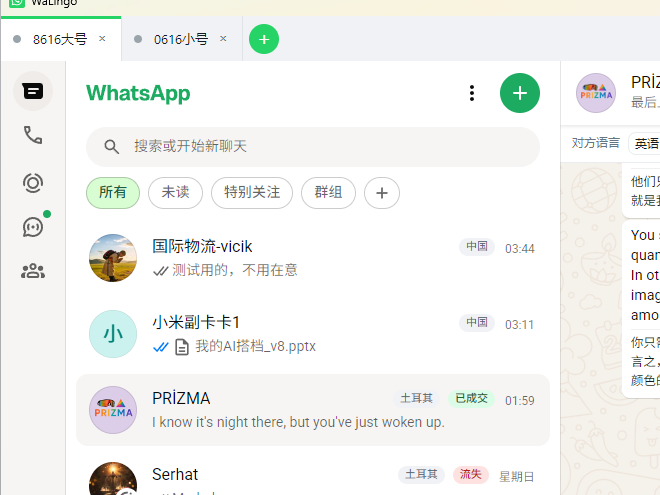
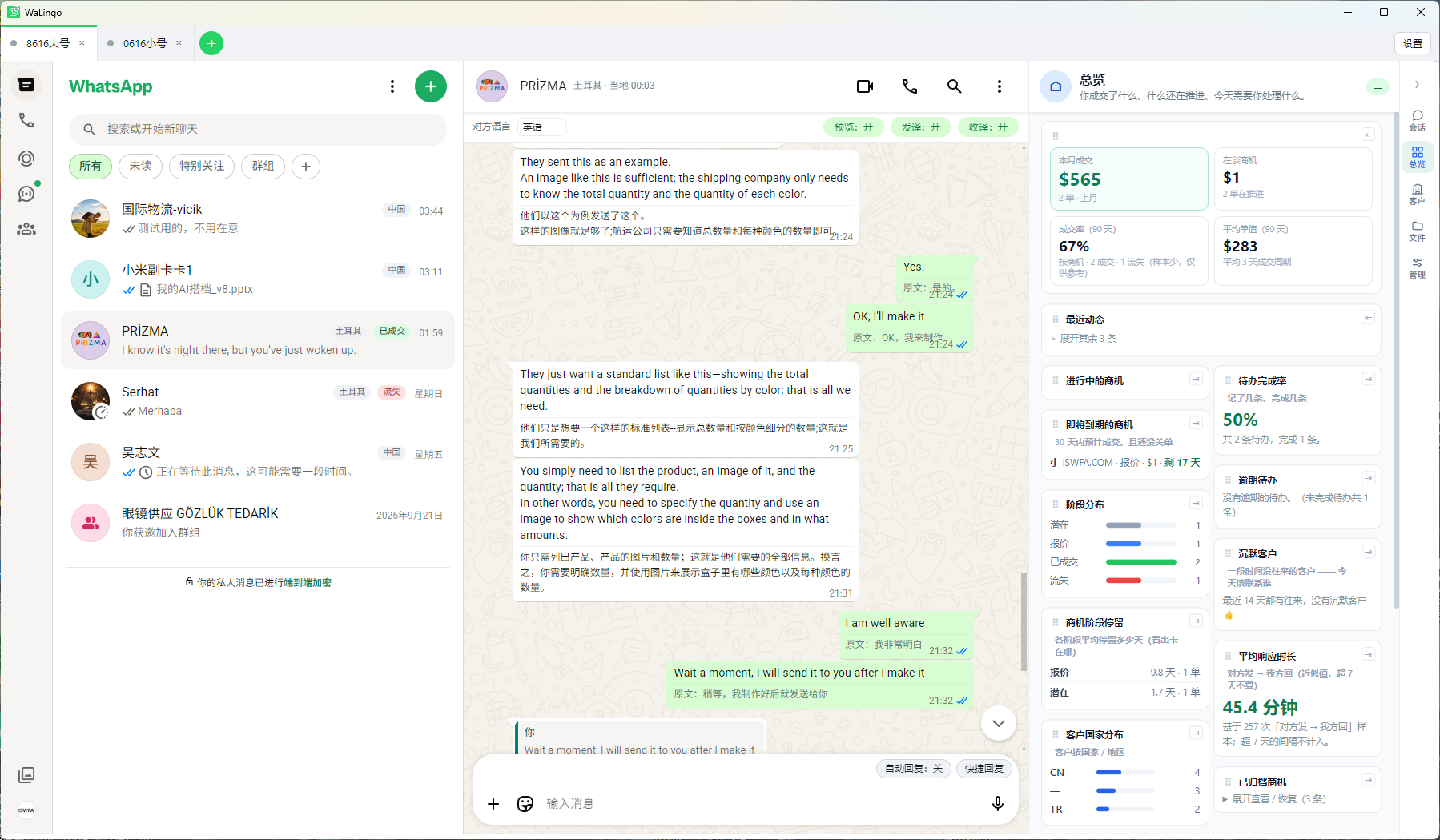
WaLingo puts translation, auto-replies, customer profiles and deal tracking right beside your WhatsApp.
No new software to learn, no data to migrate, nothing to remember —
you keep chatting the way you always have. WaLingo catches the rest.

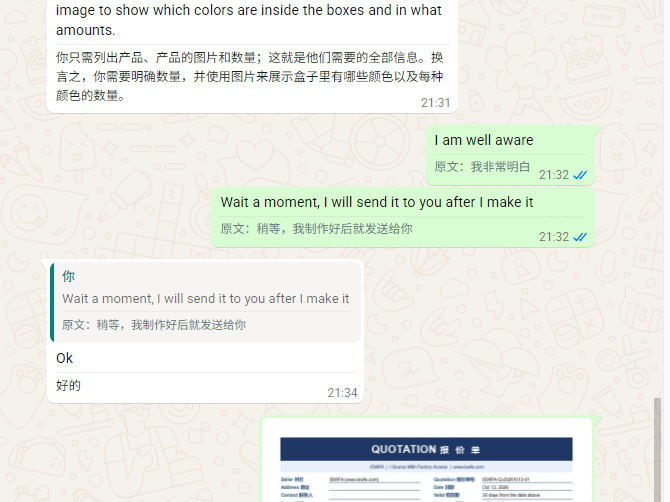
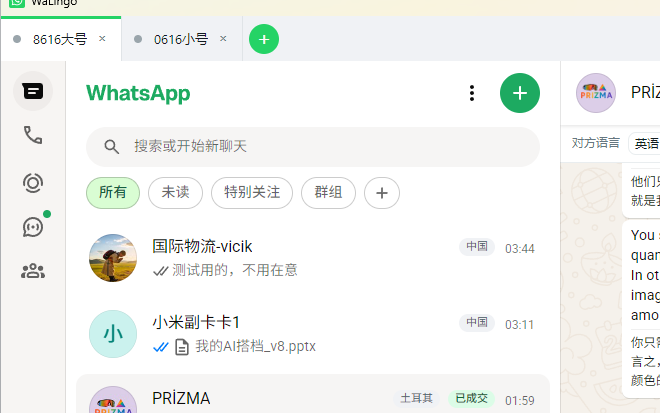
WaLingo main window: WhatsApp chats with the CRM panel on the right

Moments you know all too well

It isn't that you're not trying — it's that your tools slow you down.

Scenario 01A customer writes in a language you don't read. You copy it, open a translator, paste, copy back — three minutes gone, and so is their patience.
Scenario 02You're asleep when the enquiry lands. By morning they're already discussing prices with someone else.
Scenario 03"Where did we leave things with this customer?" You scroll back ten minutes and still can't find the one line that mattered.
Scenario 04Three numbers, dozens of customers — who's waiting for a quote, who's gone cold — all of it lives in your head alone.

WaLingo does one thing: language stops being a wall, and follow-up stops depending on memory.

How it actually does that

Six things, each one living on the screen you already use every day.

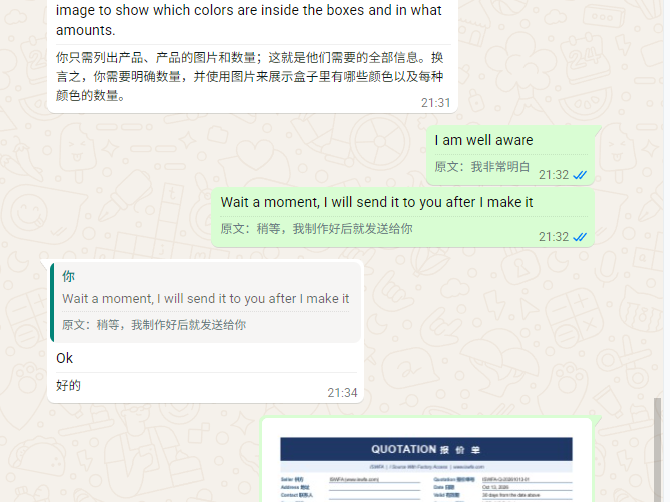
Source message and translation shown together
01

They write in their language, you answer in yours — no translator in between

Incoming messages are translated and pinned right under the original. You type Chinese, it goes out in their language — and your original wording stays under the bubble, so you can always check what you actually said.
Want to see it first? Open Preview: the translation is sitting there before you hit send.

Two people, two languages, one conversation that flows.
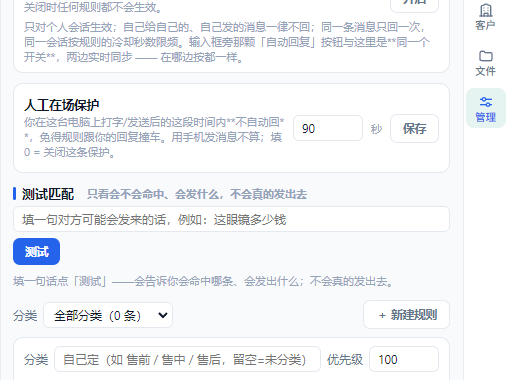
Auto-reply: human-present protection and test matching
02

Your business keeps answering while you sleep

Write each rule once, in your own language. "How much is it?" matches whether they typed it in English, Arabic or Portuguese — and the reply can be translated into their language before it's sent. More specific rules win, replies are rate-limited per chat, and no message is ever answered twice.

Afraid it'll talk over you? For a while after you type on this machine, it stays quiet.
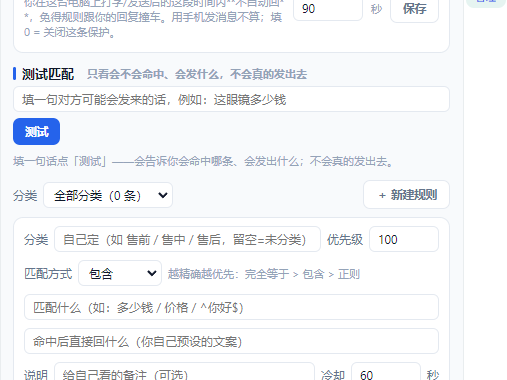
Test matching: see what would be sent, send nothing
03

Test an auto-reply before it goes live

Type something a customer might say and it tells you which rule fires, what would be sent, and why that rule won — with nothing actually sent. Change a rule, look up, test again; no scrolling around to find the button.

The real risk of auto-reply is saying the wrong thing. We take that risk out beforehand.
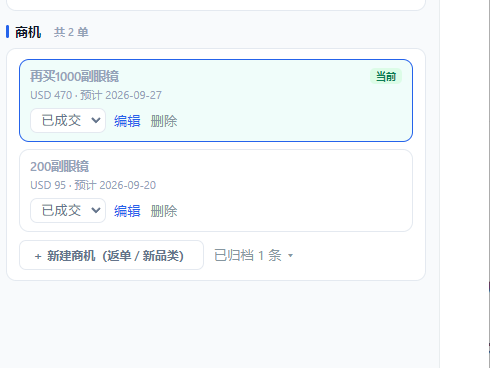
Several deals under one customer
04

A customer's second and third order stop blurring into one

Repeat orders and new product lines each get their own deal: amount, expected close date and stage tracked separately. Move a stage and the timeline logs it for you. Something important? Right-click → Pin this message, and pull it back any time.

Customers are long-term; deals are one order at a time. We built it that way on purpose.
Several WhatsApp accounts signed in at once
05

Several numbers online at once — one click to the right customer

Run multiple WhatsApp accounts in one app, each isolated from the others. Click a customer in the CRM list and WaLingo switches to the account they belong to and opens the chat — you never have to remember which number added whom.

Finding someone goes from "digging around" to "one click".
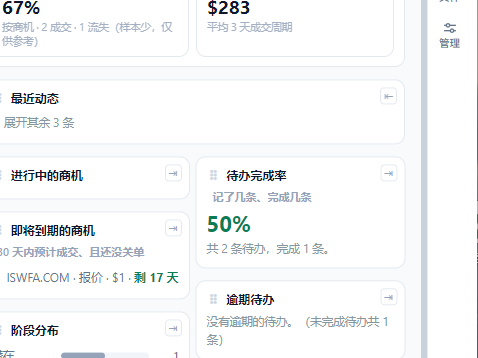
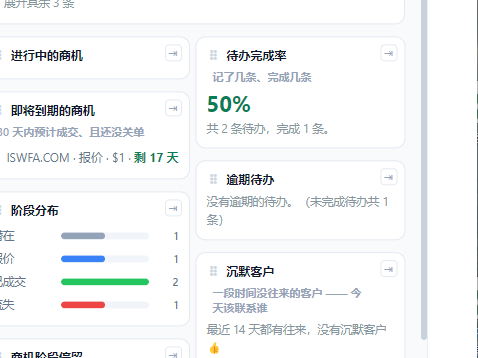
Overview dashboard: deals closed, stage distribution, silent customers
06

The overview tells you who to contact today

Customers silent for 14 days, overdue tasks, deals stuck at quotation, accounts whose message volume is dropping, how long you take to reply on average — thirteen cards. Drag the ones you care about to the top, collapse the rest.

Not more data to look at — one less thing to think about.
One product, two ways to use it

Working alone and running a team are not the same job.

Personal

You are the boss

What it manages

Your own WhatsApp accounts on this computer, plus your own customer profiles, deals and follow-up history.

What you see

All of your own data: customer profiles, deal stages, interactions and tasks, files, and the overview dashboard.

Built for

SOHO traders, independent exporters, solo sellers running several numbers.

One person, and every enquiry in the world still gets caught.
Team

You're the one who needs the whole picture

What it manages

Each member keeps managing the accounts and data on their own machine, separately, without stepping on each other.

What you see

As the manager, you see the whole team's CRM data — even when one person runs several numbers, it's all in view. No asking around, no waiting for a report.

Built for

Sales teams with a manager who tracks progress, export departments, overseas sales centres.

Your team runs their own numbers; you read one global sheet.

Whether you're one person or a whole floor

The same product solves different problems at different sizes.

Solo

SOHO / independent trader

One number, dozens of customers, nothing but chat history and memory
Solo view: live translation
Where you are now

German in the morning, Arabic in the afternoon; you look up every question they ask; you don't dare sleep through the night in case an enquiry slips; the customer you spoke to three months ago — you've long forgotten where that conversation ended.

With WaLingo

Inbound and outbound translation handle the language; auto-replies keep the night shift; customer profiles, deals and tasks do the remembering; and every morning the overview tells you "these three are who to contact today".

One person, and every enquiry in the world still gets caught.
Small team

Sales teams of 3–20

Several people, several numbers, across time zones and languages
Account tabs and proxy status
Where you are now

B doesn't know what A discussed; handing a customer over means screenshotting the chat; "where is this order" needs a meeting to answer; when one person is away, their whole patch stops.

With WaLingo

Multiple numbers on one machine stay isolated with their own exit IPs — no cross-contamination; customer profiles, deals, interactions and tasks settle in one place; who's stuck at quotation, whose tasks are overdue — it's all on the overview; handovers move as a single backup folder.

From "everyone chats separately" to "one shared ledger".
Enterprise

Export dept. / overseas sales centre

Dozens of numbers, across time zones and languages, with compliance you can't fake
Full overview dashboard
Where you are now

Customer data can't go to the cloud, so it sits scattered on individuals' laptops; management wants numbers and gets manual reports; nobody dares use AI output directly in case it invents things; you can see results but not the process.

With WaLingo

Conversations and customer data live in a database embedded on the machine — never uploaded, never hosted, so compliance is settled up front; managers see the whole team's CRM data; backup export and restore make handover, archiving and auditing traceable; AI summaries state only what actually appears in the conversation and put anything uncertain into a separate "To confirm" list instead of writing it as fact; days spent in a stage and average response time turn process bottlenecks into numbers you can manage.

Scale is when management begins — and management needs data first.

Partners

We're not the only ones making cross-border business easier.

Two editions

The tier decides how much you get. Licensed per machine — one machine, one licence, not per seat.

Basic
$2.9$1.49/month
Let it handle the language barrier first
  • Live inbound / outbound translation, preview before sending
  • In-chat translation bar + right-click Translate
  • Automatic language detection + country and local time
  • Per-account isolation with dedicated exit IPs
  • Quick-reply templates
Recommended
CRM
$8.59$4.29/month
From the first enquiry to the close and the re-order
  • Everything in Basic
  • Auto-reply rules + test matching before going live
  • Customer profiles · deals (many per customer) · stages
  • Interactions / follow-up timeline / tasks and overdue alerts
  • Files and file library (by type, by date)
  • AI summaries (facts only + items to confirm)
  • Overview dashboard: 13 cards, draggable, hide what you don't need
  • Backup export / restore
  • Team edition: managers see the whole team's CRM data

Licensed per machine — one machine, one licence, not per seat. Prices are monthly and settled in USD; buy 3 / 6 / 12 months at once for 5% / 7% / 10% off.
Try it first, pay when you're happy — you won't be charged a cent before the trial ends.
Service activates the moment you pay, so we can't offer no-reason refunds.

Things you probably want to ask first

Better to be clear now than to find out after installing.

Can you see my chats and customer data?

No. Conversations and customer data stay in the database embedded on your own machine — we don't upload or host any of it. Only translation and AI summaries pass through our server, and only the content that single request needs.

Do I have to scan the QR code again? Do I change anything in WhatsApp?

WaLingo is a standalone Windows app with a built-in browser that opens WhatsApp Web — you log in exactly as you do today, and nothing is installed on the WhatsApp side.

What happens to my data if I change computers or reinstall Windows?

Settings has Export backup, which writes customers, conversations, notes and tasks to a folder; use Restore from backup on the new machine. Export once before you switch.

Will auto-replies fight with my own replies?

No. There's human-present protection: for a period after you type or send on this computer (replying from your phone doesn't count), auto-reply stays off. You set the window yourself; enter 0 to switch the protection off. You can also test matching first without sending anything.

Does the AI summary make things up?

It's built to state only what actually appears in the conversation; anything it isn't sure about goes into a separate "To confirm" list for you to check, never written as a conclusion. The summary page also says "Generated by a model, for reference only — the original conversation is authoritative."

Does it still work offline?

Local data — customer profiles, deals, follow-ups — stays viewable and editable. Only translation, AI summaries and the translation step inside auto-replies need a connection. There's an offline grace period on the licence.

How does the trial work? Can I get a refund?

Try it first, pay when you're happy — you won't be charged a cent before the trial ends, and you don't add a payment method up front. Service activates the moment you pay, so we can't offer no-reason refunds.

Your data stays on your computer

The database is embedded in the app; conversations and customer records are stored locally and never uploaded or hosted by us. Translation and AI summaries route through our server, carrying only what each request needs.

Stored locally, never uploaded
Backup export / one-click restore
Migrates when you change machines
AI output is labelled and traceable

Don't let the next enquiry walk away because you were three minutes slow.

Installing takes minutes. Once you use it, you'll find the things you thought were unavoidable were just things nobody was doing for you.